 Isaac Bythewood
Setting up a Python project used to mean juggling multiple tools for package management, Python versions, and virtual environments. I used to use pipenv, pyenv, and Black but I've since moved on. In 2026 I use uv for project management and ruff for linting and formatting. Two tools, one config file.
Installing uv
uv is a single binary that replaces pip, pipenv, pyenv, and virtualenv. It's written in Rust by Astral and it's extremely fast.
Starting a new project
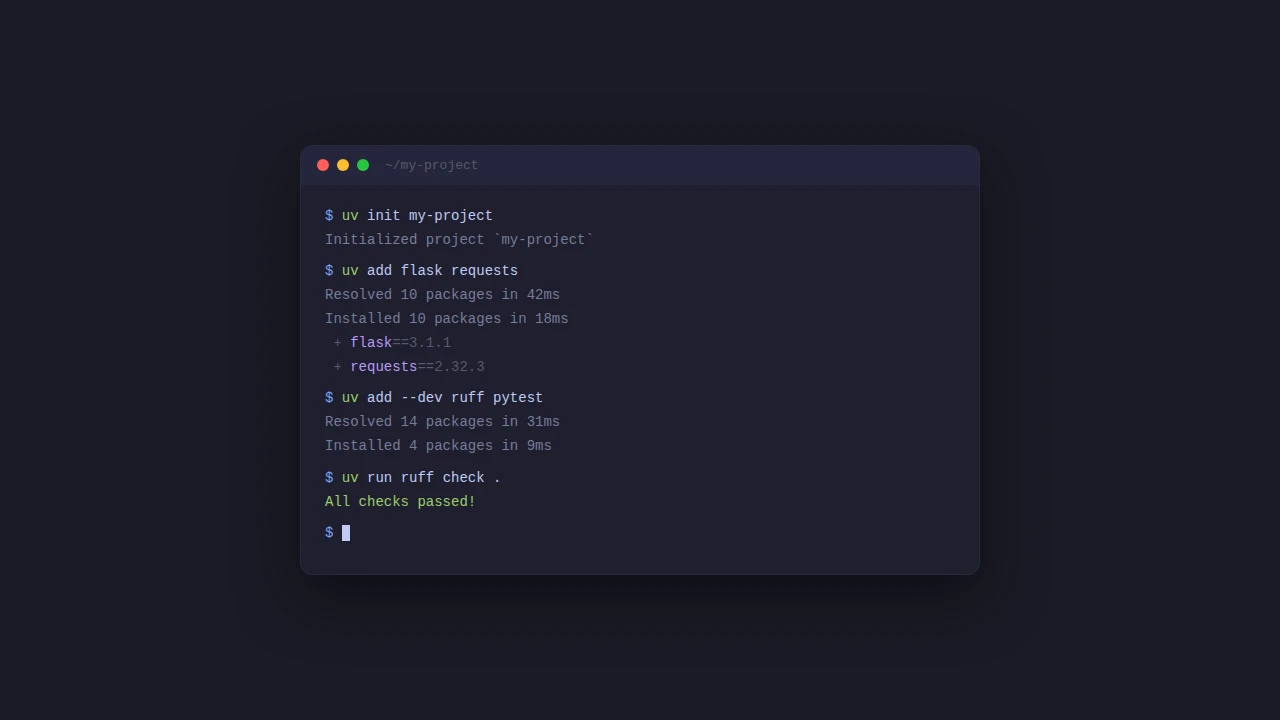
Instead of manually creating a Pipfile or requirements.txt, run uv init and you get a project scaffold with a pyproject.toml ready to go.
This gives you:
No Pipfile, no setup.cfg, no requirements.txt. Just pyproject.toml.
Managing Python versions
You don't need pyenv anymore. uv handles downloading and managing Python versions for you.
This writes 3.13 to .python-version and installs it if you don't already have it. That's it.
Adding dependencies
Adding dependencies updates your pyproject.toml and uv.lock in one step.
When you clone the project on another machine or set up CI, uv sync installs everything from the lockfile.
Running things
uv run executes inside the project's virtual environment without you needing to activate anything. No more pipenv shell or source .venv/bin/activate.
Linting and formatting with Ruff
I used to use Black, Flake8, and isort separately but Ruff handles all of that now. It's from the same team that makes uv and it's just as fast. The formatter is designed as a drop-in replacement for Black with near-identical output, so switching won't mean a massive reformatting commit across your codebase.
ruff check handles linting and import sorting. ruff format handles code formatting. You configure both in pyproject.toml:
E and F are the pycodestyle and pyflakes rules that Flake8 used by default. I is isort-compatible import sorting. UP is pyupgrade which modernizes your syntax automatically. You can browse the full rule list and add what makes sense for your project.
The full pyproject.toml
Here's what a complete pyproject.toml looks like. This replaces the Pipfile, Pipfile.lock, .flake8, and .isort.cfg I used to have scattered across my projects.
That's all you need to get a Python project off the ground in 2026. If you're still juggling multiple tools and config files give uv and ruff a try, I don't think you'll go back.