 Isaac Bythewood
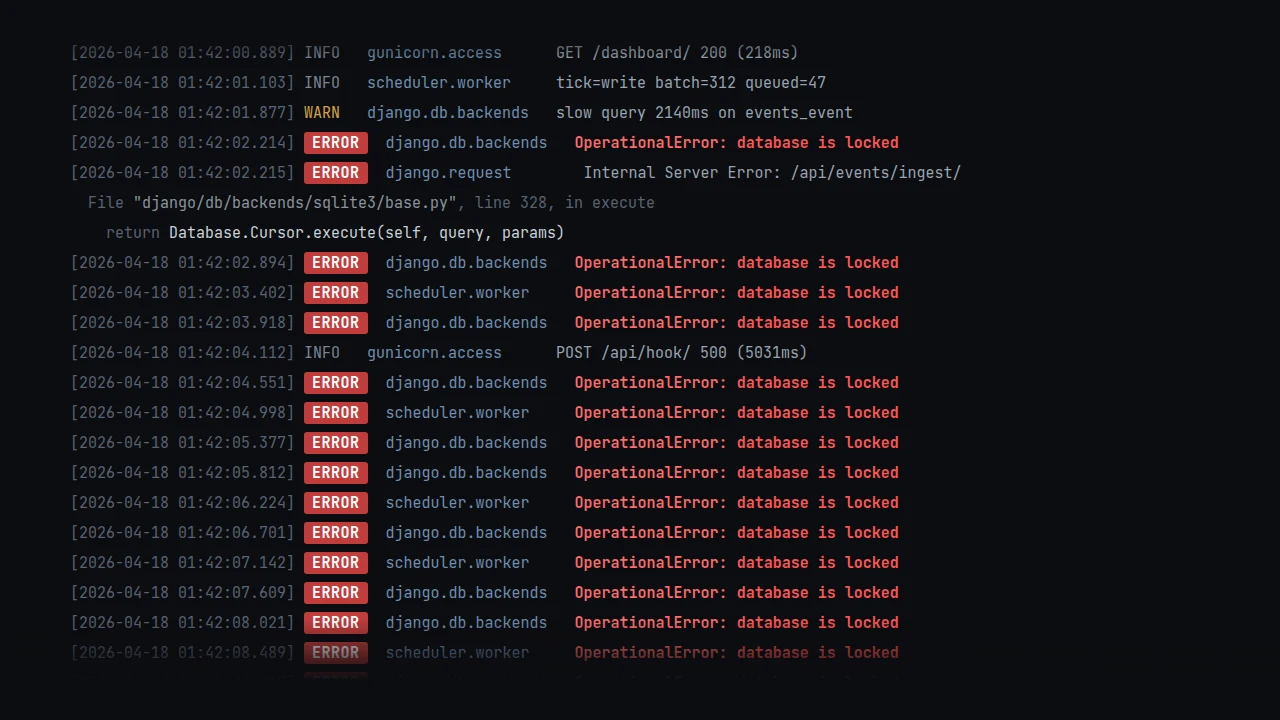
SQLite runs most of my smaller Django projects in production. It's fast, it's one file to back up, and it takes an entire service out of my stack. The problem is the default Django config is tuned for development, not production. The first time a background worker writes while a request reads you'll start seeing database is locked in your logs. A few PRAGMAs and one Django option fix most of it.
Here's the full DATABASES block I use. Requires Django 5.1 or newer.
What each one does:
timeout=30waits up to 30 seconds on a locked database before raising. The default is 5 which isn't much headroom if a migration or a slow write is in flight.transaction_mode="IMMEDIATE"was added in Django 5.1 and it's the most important one here. SQLite's defaultDEFERREDmode starts transactions as readers and upgrades to a write when needed. If another writer sneaks in during that upgrade you get an instantSQLITE_BUSYandtimeoutis ignored.IMMEDIATEgrabs the write lock upfront so contention actually waits.PRAGMA journal_mode=WALlets readers run concurrently with a writer. Without it a single write blocks every read.PRAGMA synchronous=NORMALis the recommended pairing with WAL. Safe against app crashes. Worst case is a power loss losing the last commit and that's a fair trade for how much faster writes get.PRAGMA foreign_keys=ONenforces foreign keys. SQLite disables them by default which is surprising if you're coming from Postgres, and Django won't turn them on for you either.PRAGMA temp_store=MEMORYkeeps temp tables and indexes in RAM instead of on disk.PRAGMA mmap_size=134217728memory-maps up to 128 MB of the database file so reads skip the syscall overhead.PRAGMA journal_size_limit=67108864caps the WAL file at 64 MB so it can't grow unbounded during write bursts.PRAGMA cache_size=-20000gives each connection a 20 MB page cache. The negative sign means kilobytes; a positive number would mean pages.
One warning
Don't run WAL mode on an NFS mount. WAL uses shared memory that NFS doesn't implement correctly and it can corrupt the database. Local disk only. On a VPS or bare metal this is a non-issue, but I've seen people trip over it on shared hosting that silently mounts /var over NFS.
Sources
I didn't invent any of this. It's basically the recipe Giovanni Collazo published in "Optimal SQLite settings for Django" and that Simon Willison endorsed shortly after. Anže Pečar has two posts that go deeper on production gotchas, "Django SQLite production config" and "SQLite in production". phiresky's SQLite performance tuning post is the best single reference I've found for the why behind each PRAGMA. And when you want the source of truth, there's SQLite's PRAGMA reference, the WAL docs, and Django's SQLite notes.
If you've been reaching for Postgres out of habit on small Django projects try this config first, a tuned SQLite file handles more load than most projects will ever see.