 Isaac Bythewood
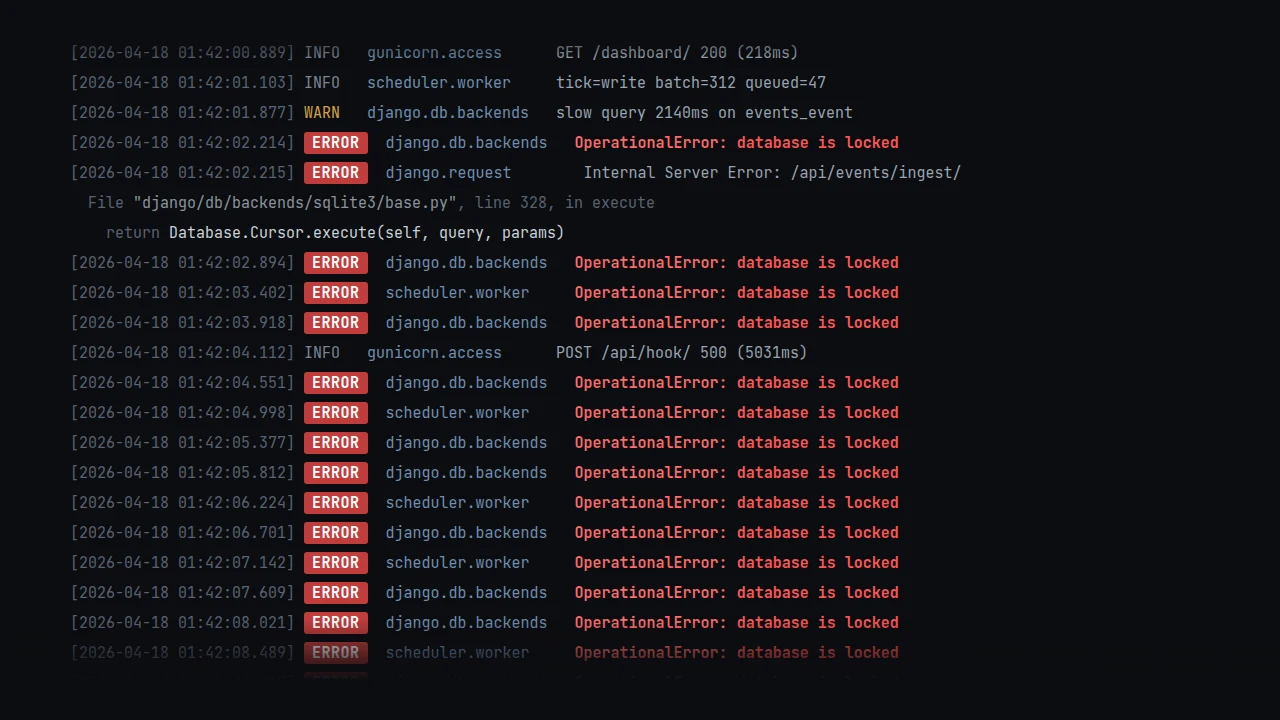
SQLite runs most of my smaller Django projects in production since it's fast and it's one file to back up, and it means I don't have to run a database service at all. The problem is that Django's default config is tuned for development, so the first time a background worker writes while a request reads you'll start seeing database is locked in your logs. A few PRAGMAs and one Django option fix most of it.
Update, 2026-04-26. A week after publishing this, my SQLite-backed status monitor corrupted with
database disk image is malformedand ran broken for several days before I noticed. The recipe below is still what I run, with one line removed:PRAGMA mmap_size=134217728. > >Here's what bit me. SQLite has a WAL-reset race (introduced in 3.7.0, fixed in 3.51.3 released 2026-03-13) that triggers when two or more connections on the same file write or checkpoint simultaneously, exactly what you have with multi-worker Gunicorn, or a worker plus a background scheduler. The race itself is rare and usually self-corrects on the next checkpoint, but mmap is what turns a transient race into a structurally broken file. SQLite's mmap docs warn that it "is more sensitive to bugs in the application code or undefined behavior" and "if a corruption happens, mmap can spread it more widely." The integrity check on my dead database came back full of child page depth differs and 2nd reference to page X errors, which look a lot more like mmap spreading corruption around than a plain WAL race. > >
So if you have multiple processes writing to the same SQLite file and your base image still has SQLite < 3.51.3 (Alpine 3.21 ships 3.48, 3.22 ships 3.49 as of this writing), drop the
PRAGMA mmap_sizeline until you can upgrade. The rest of the config stands. Single-worker Gunicorn with no background processes is unaffected. Recovery, for the curious, wassqlite3 .recoverinto a fresh file. Kept all but five rows out of eight thousand.
This is the full DATABASES block I use, and it needs Django 5.1 or newer.
DATABASES = {
    "default": {
        "ENGINE": "django.db.backends.sqlite3",
        "NAME": BASE_DIR / "db.sqlite3",
        "OPTIONS": {
            "timeout": 30,
            "transaction_mode": "IMMEDIATE",
            "init_command": (
                "PRAGMA journal_mode=WAL;"
                "PRAGMA synchronous=NORMAL;"
                "PRAGMA foreign_keys=ON;"
                "PRAGMA temp_store=MEMORY;"
                "PRAGMA mmap_size=134217728;"
                "PRAGMA journal_size_limit=67108864;"
                "PRAGMA cache_size=-20000;"
            ),
        },
    }
}
What each one does:
timeout=30waits up to 30 seconds on a locked database before raising. The default is 5 which isn't much headroom if a migration or a slow write is in flight.transaction_mode="IMMEDIATE"was added in Django 5.1 and it's probably the most useful one here. SQLite's defaultDEFERREDmode starts transactions as readers and upgrades to a write when it needs to, and if another writer sneaks in during that upgrade you get an instantSQLITE_BUSYwithtimeoutignored.IMMEDIATEgrabs the write lock upfront so contention actually waits.PRAGMA journal_mode=WALlets readers run concurrently with a writer. Without it a single write blocks every read.PRAGMA synchronous=NORMALis the recommended pairing with WAL and is safe against app crashes. Worst case a power loss costs you the last commit, which seems like a fair trade for how much faster writes get.PRAGMA foreign_keys=ONenforces foreign keys, which SQLite disables by default. That's surprising if you're coming from Postgres and Django won't turn them on for you either.PRAGMA temp_store=MEMORYkeeps temp tables and indexes in RAM instead of on disk.PRAGMA mmap_size=134217728memory-maps up to 128 MB of the database file so reads skip the syscall overhead.PRAGMA journal_size_limit=67108864caps the WAL file at 64 MB so it can't grow unbounded during write bursts.PRAGMA cache_size=-20000gives each connection a 20 MB page cache. The negative sign means kilobytes, where a positive number would mean pages.
One warning
Don't run WAL mode on an NFS mount. WAL uses shared memory that NFS doesn't implement correctly and it can corrupt the database, so stick to local disk. On a VPS or bare metal this isn't something you need to think about, but I've seen people trip over it on shared hosting that quietly mounts /var over NFS.
Sources
I didn't come up with any of this. It's basically the recipe Giovanni Collazo published in "Optimal SQLite settings for Django" and that Simon Willison endorsed shortly after. Anže Pečar has two posts that go deeper on production gotchas, "Django SQLite production config" and "SQLite in production". phiresky's SQLite performance tuning post is the best single reference I've found for the why behind each PRAGMA. And when you want the source of truth, there's SQLite's PRAGMA reference, the WAL docs, and Django's SQLite notes.
If you've been reaching for Postgres out of habit on small Django projects it's worth trying this config first. A tuned SQLite file will handle more load than most projects are ever going to see.