 Isaac Bythewood
Setting up a Python project used to mean juggling a handful of tools for package management, Python versions, and virtual environments, and for a long time that meant pipenv, pyenv, and Black for me. I've since moved on and in 2026 I use uv for project management and ruff for linting and formatting, which comes out to two tools and one config file for the whole thing.
Installing uv
uv is a single binary that replaces pip, pipenv, pyenv, and virtualenv all at once. It's written in Rust by the Astral folks and it's extremely fast, fast enough that I stopped noticing installs entirely.
curl -LsSf https://astral.sh/uv/install.sh | sh
Starting a new project
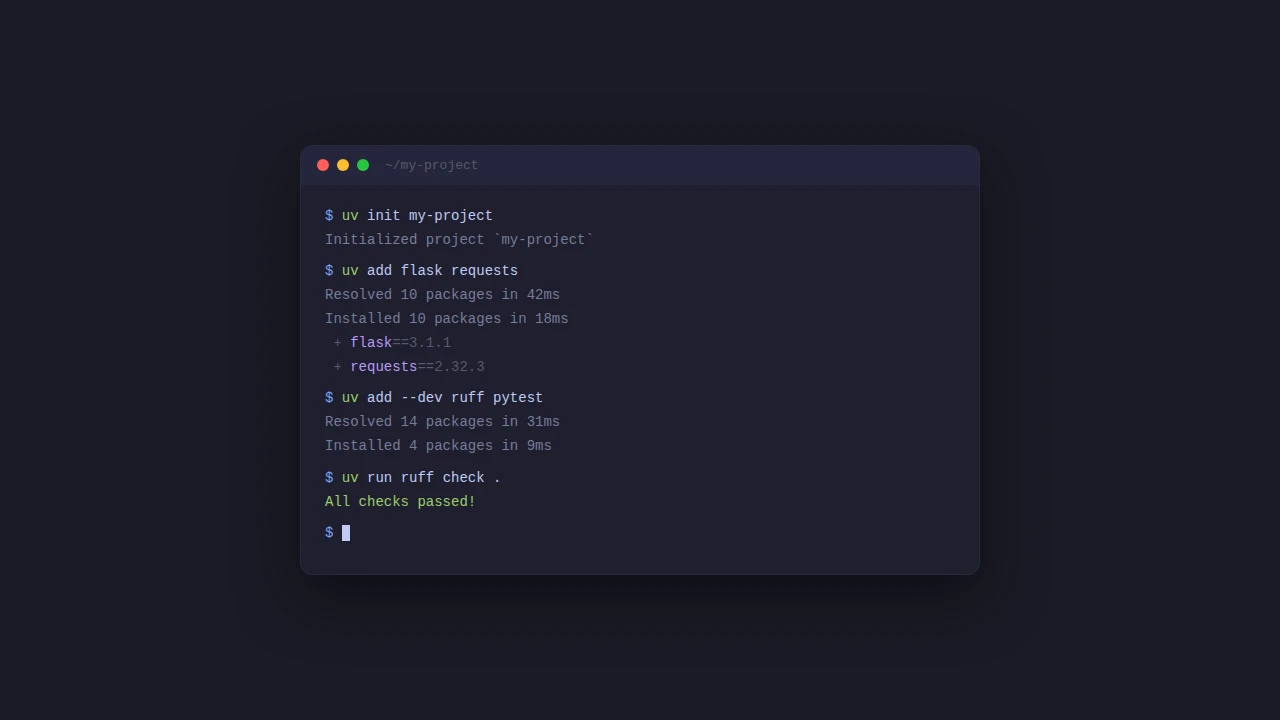
Instead of hand creating a Pipfile or a requirements.txt you just run uv init and you get a project scaffold with a pyproject.toml ready to go.
uv init my-project
cd my-project
That gives you something like this:
my-project/
├── .python-version
├── README.md
├── main.py
└── pyproject.toml
There's no Pipfile, no setup.cfg, and no requirements.txt in there, everything those used to hold lives in pyproject.toml instead.
Managing Python versions
You don't need pyenv anymore since uv will download and manage Python versions for you.
uv python pin 3.13
uv python install
This writes 3.13 to .python-version and installs it if you don't already have that version sitting around, which is about all there is to it.
Adding dependencies
Adding a dependency updates your pyproject.toml and your uv.lock in one step.
uv add flask requests
uv add --dev pytest ruff
When you clone the project on another machine or set up CI, uv sync installs everything from the lockfile.
Running things
uv run executes inside the project's virtual environment without you needing to activate anything first, so I've stopped typing pipenv shell or source .venv/bin/activate before I can do anything.
uv run python main.py
uv run pytest
Linting and formatting with Ruff
I used to run Black, Flake8, and isort separately but Ruff handles all of that on its own now, and it's from the same team that makes uv so it's just as fast. The formatter is designed as a drop-in replacement for Black with near-identical output, so switching over probably won't mean a massive reformatting commit across your codebase.
uv run ruff check .
uv run ruff format .
ruff check handles linting and import sorting and ruff format handles the code formatting, and you configure both of them in pyproject.toml:
[tool.ruff]
line-length = 88
target-version = "py313"

[tool.ruff.lint]
select = ["E", "F", "I", "UP"]

[tool.ruff.format]
quote-style = "double"
E and F are the pycodestyle and pyflakes rules that Flake8 used by default, I is isort-compatible import sorting, and UP is pyupgrade which modernizes your syntax automatically. You can browse the full rule list and add whatever else makes sense for your project, it's up to you how strict you want to be.
The full pyproject.toml
Here's roughly what a complete pyproject.toml ends up looking like, and it replaces the Pipfile, Pipfile.lock, .flake8, and .isort.cfg I used to have scattered across all of my projects.
[project]
name = "my-project"
version = "0.1.0"
description = ""
readme = "README.md"
requires-python = ">=3.13"
dependencies = [
    "flask",
    "requests",
]

[dependency-groups]
dev = [
    "pytest",
    "ruff",
]

[tool.ruff]
line-length = 88
target-version = "py313"

[tool.ruff.lint]
select = ["E", "F", "I", "UP"]

[tool.ruff.format]
quote-style = "double"
That's about all you need to get a Python project off the ground in 2026. If you're still juggling a handful of separate tools and config files then give uv and ruff a try, they've worked well for me so far.